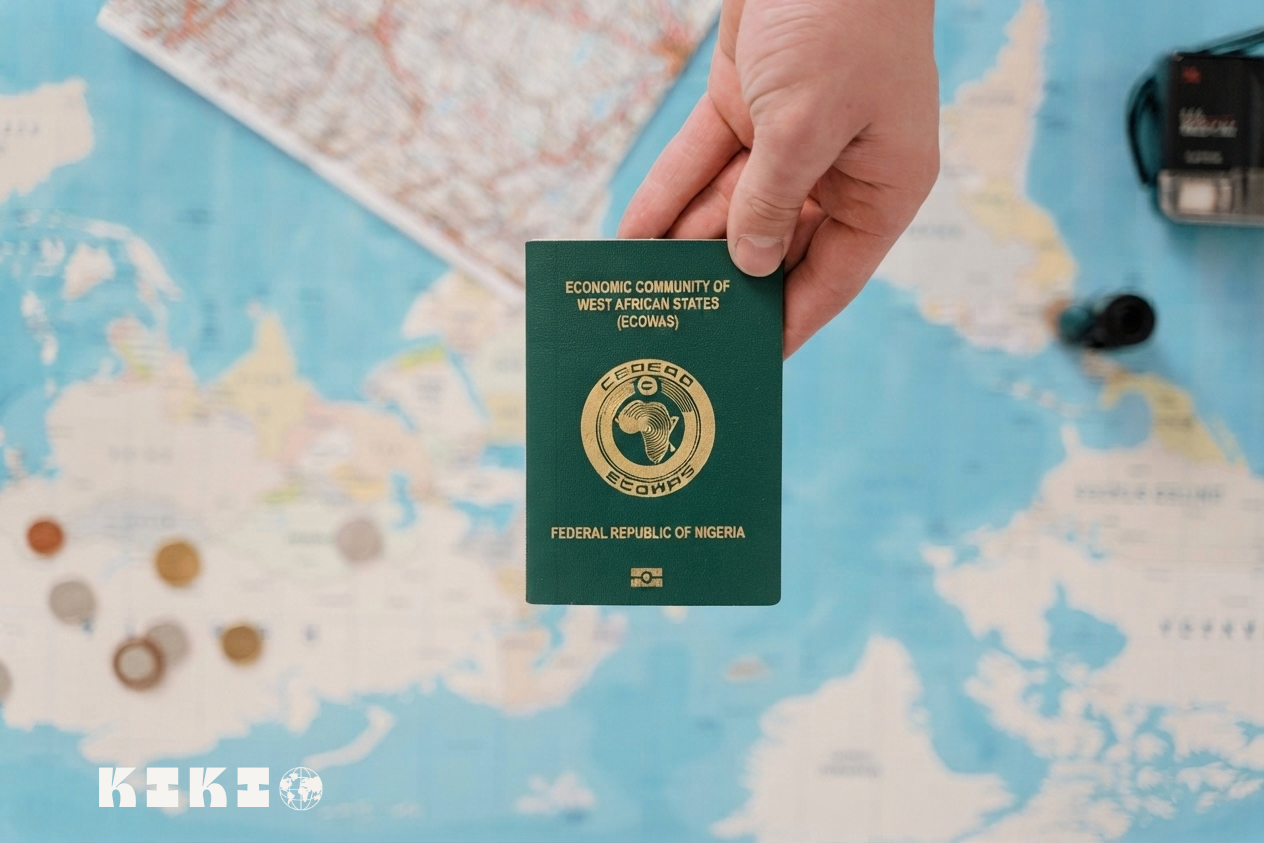
If you are planning to travel from Nigeria to the UK, you may have heard that the UK visa process has changed.
One of the biggest changes is the move from physical visa stickers to digital immigration status, known as an eVisa.
Since 1 July 2026, the UK has stopped issuing visa vignette stickers to successful new visa applicants. Instead, successful applicants receive digital evidence of their immigration status through an eVisa.
But this does not mean you can skip the normal visa application process.
If you are a Nigerian citizen travelling to the UK as a visitor, you still need to apply for a visa before travelling. Nigeria remains on the UK’s list of countries whose citizens need a visa to enter or transit the UK.
You still complete an online application, pay the visa fee, attend a visa application centre appointment, provide your biometric information, and submit the required supporting documents.
The main difference is what happens after your visa is approved.
Instead of receiving a visa sticker in your passport, your immigration permission is now recorded digitally.
This guide explains the current UK eVisa process for applicants in Nigeria, what has changed, what has stayed the same, and what you should do from the beginning of your application to your trip.
What Is a UK eVisa?
A UK eVisa is a digital record of your identity and immigration status.
It shows information such as the type of permission you have to enter or stay in the UK and the conditions attached to that permission.
Think of it as the digital version of the immigration status that was previously evidenced through physical documents.
Your eVisa is accessed through your UK Visas and Immigration (UKVI) account and is linked to your passport or other travel document.
You can use your UKVI account to view your status and, where necessary, generate a share code to prove your immigration status to certain organisations.
Is the eVisa the same as an ETA?
No.
This is an important distinction.
An eVisa is digital evidence of immigration permission that you receive after successfully applying for a visa or another type of permission to enter or stay in the UK.
An ETA, or Electronic Travel Authorisation, is different. It is a travel authorisation for people who do not normally need a visa for short visits to the UK.
Nigerian citizens generally need a visa to visit the UK, so an ETA is not a replacement for the Standard Visitor visa for Nigerian passport holders.
What Has Changed With the UK Visa Process?
The biggest change is the move away from physical visa stickers.
What has changed?
You no longer receive a visa vignette sticker if your new UK visa application is successful.
The UK stopped issuing visa vignettes to successful new applicants from 1 July 2026. Successful applicants now receive digital evidence of their immigration status.
You will also need to make sure your UKVI account is set up correctly so you can access your eVisa.
What has not changed?
A lot of the application process is still familiar.
You still need to:
- Complete the relevant UK visa application online.
- Pay the visa application fee.
- Provide the required supporting information and documents.
- Attend a visa application centre appointment.
- Provide your fingerprints and photograph when required.
- Wait for a decision before travelling.
So, the eVisa has changed the way your immigration status is recorded, but it has not removed the normal visa application requirements.
Who Needs a UK Visa From Nigeria?
If you are travelling on a Nigerian passport, you generally need to obtain a visa before travelling to the UK.
For a normal holiday, family visit, short business trip, or another permitted short-term visit, this will usually be a Standard Visitor visa. Nigeria is listed among the nationalities that require a visa to enter or transit the UK.
A Standard Visitor visa can generally allow you to stay in the UK for up to 6 months, depending on the circumstances of your visit and the permission granted.
Before applying, however, make sure the Standard Visitor route actually matches what you intend to do in the UK.
For example, you cannot use a Standard Visitor visa to take up ordinary employment with a UK company or work as a self-employed person in the UK.
How Much Does a UK Standard Visitor Visa Cost?
As of the current GOV.UK guidance, a Standard Visitor visa for up to 6 months costs £135.
The amount you pay in Nigerian naira can vary depending on the payment process and exchange rate used when you apply.
There are also different fees for longer-term visitor visas and certain other types of visits.
Always check the official GOV.UK application page before paying because visa fees can change.
Step-by-Step: How to Apply for a UK eVisa From Nigeria
The easiest way to understand the process is to separate it into the application stage and what happens after you receive a decision.
Step 1: Check That You Need a UK Visa
Before you start filling out an application, check the official UK government guidance to confirm that you need a visa and that the visa route you are considering matches your reason for travelling.
For Nigerian citizens travelling for a normal short visit, a Standard Visitor visa will generally be the relevant route.
Do this first.
You do not want to spend time preparing a Standard Visitor application if your intended activity requires a different type of UK visa.
Step 2: Check the Standard Visitor Requirements
The UK expects you to demonstrate that you are a genuine visitor.
Among other things, you must be able to show that:
- You intend to leave the UK at the end of your visit.
- You can support yourself financially during your trip, or have appropriate financial support from someone else.
- You can pay for your return or onward journey, or have funding available for it.
- You will not use repeated visits to effectively live in the UK.
- Your planned activities are permitted under the Standard Visitor route.
This is where your supporting documents become important.
Your documents should support the story you are telling in your application.
For example, if you say you are travelling for a holiday, your financial information, employment or business situation, travel plans, and other evidence should make sense together.
Step 3: Gather Your Supporting Documents
There is no single document that guarantees a UK visitor visa.
Instead, you should provide the documents relevant to your circumstances and the information requested during your application.
Depending on your situation, this could include things such as:
- Your valid Nigerian passport.
- Evidence of your financial circumstances.
- Employment information or an employment letter if you are employed.
- Business documents if you are self-employed or own a business.
- Evidence relating to your planned trip.
- Details of accommodation or where you intend to stay.
- Evidence of sponsorship if another person is paying for your trip.
- Documents that help demonstrate your circumstances and reasons for returning to Nigeria.
The important thing is consistency.
Your application form, financial documents, employment or business information, and travel plans should not contradict one another.
Do not simply upload a huge collection of documents because you think more paperwork automatically means a stronger application.
Provide relevant evidence that helps explain your circumstances.
Step 4: Complete the Online Application
Once you are ready, apply through the official GOV.UK website.
You will be asked questions about yourself, your travel plans, your finances, your circumstances, and other information relevant to your application.
Take your time here.
A simple mistake in your personal information can create unnecessary problems later.
Make sure names, dates of birth, passport numbers, travel information, and other important details match your documents.
Before submitting, carefully review your answers.
It is also sensible to keep a copy of your completed application and important confirmation emails for your records.
Step 5: Pay the Visa Application Fee
After completing the application, you will be required to pay the relevant visa fee.
For a standard six-month Standard Visitor visa, the current GOV.UK fee is £135.
Save your payment confirmation and application details after completing the payment.
Step 6: Book Your Visa Application Centre Appointment
After submitting your application, you will need to attend an appointment at a visa application centre.
You must submit your visa application before you can make the appointment.
The UK government provides an official tool for finding the relevant visa application centre.
For applicants in Nigeria, UKVI’s current international application points include locations in Abuja and Lagos.
Follow the instructions provided during your application when selecting your appointment location and services.
Step 7: Complete Your Biometrics
At your appointment, you will normally provide your biometric information, including your fingerprints and photograph.
This is still part of the UK visa application process.
The move to eVisas does not mean that applicants can simply complete everything from home.
Depending on your application and circumstances, you may still need to attend a visa application centre in person.
Step 8: Submit Your Supporting Documents
Follow the instructions given during your application about supporting documents.
Where the application process allows you to upload your documents before your appointment, doing so early can make the appointment process easier.
Make sure the documents you submit are clear and relevant.
If you are unsure whether a particular document is required, check the official GOV.UK guidance rather than relying on random visa advice online.
What Happens After You Apply?
After you submit your application and complete the required identity checks, UK Visas and Immigration will process your application.
For a successful new application, you will receive digital evidence of your immigration status instead of a new visa vignette sticker.
Your decision email or letter will tell you what you need to do to access your eVisa.
You will need a UKVI account to access it.
How Do You Access Your eVisa?
Your eVisa is accessed online through your UKVI account.
Once you have access, check that the information shown is correct.
Pay particular attention to:
- Your name
- Your date of birth
- Your immigration status
- The dates your permission is valid
- Your passport or travel document details
If something is wrong, GOV.UK provides a process for reporting an error with your eVisa.
How Do You Travel With a UK eVisa?
This is one of the biggest differences from the old system.
You do not need a visa sticker in your passport to prove your new UK immigration permission.
Instead, your eVisa is linked to your passport or travel document.
Before travelling, you should sign into your UKVI account and make sure:
- Your current passport is linked to your account.
- Your personal details are correct.
- Your eVisa shows the correct immigration permission.
- The details you give your airline match your passport and UKVI information.
Your eVisa can be checked when you travel to the UK and when you check in with your carrier for travel to the UK.
What If You Get a New Passport?
This is important.
Because your immigration status is linked to your travel document, you need to keep your UKVI account updated if your passport details change.
GOV.UK specifically advises travellers to make sure their current passport or travel document is added to their UKVI account before travelling.
Do not assume that getting a new passport automatically updates your UKVI account.
Check it yourself before your trip.
What Is a Share Code?
A share code is a way of giving another person or organisation temporary access to information about your immigration status.
For example, share codes can be used to prove immigration status in situations such as employment or renting accommodation.
For travel, GOV.UK also states that you can get a travel share code, which is valid for 90 days.
You should not confuse a share code with your visa itself.
Your eVisa is your digital immigration record.
The share code is simply one way of allowing someone else to verify relevant information from that record.
What Should You Carry When Travelling?
Even though the visa itself is digital, you should still travel with your valid passport.
Your passport or travel document must be the one linked to your UKVI account.
It is also sensible to keep your decision email and other important application information accessible on your phone.
You should not rely on screenshots as a replacement for checking your live eVisa, though.
Before leaving Nigeria, sign into your UKVI account and confirm that everything is correct.
How Long Does a UK Visitor Visa Take?
Processing times can vary.
The UK government says that processing times depend on the type of application and service used, and applications can take longer where additional checks are required.
Do not build your entire travel plan around an assumed three-week processing time.
Instead, apply early enough to give yourself room for delays and follow the current processing-time guidance on GOV.UK.
Most importantly, do not travel before your visa application has been approved.
Common Mistakes to Avoid
The eVisa system is digital, but the basic principles of a good visa application have not changed.
Here are some mistakes worth avoiding.
1. Giving inconsistent information
If your application says one thing and your supporting documents suggest something completely different, you may create unnecessary questions about your application.
Review everything before submitting.
2. Treating your bank balance as the entire application
Having money in your account is not the only thing UKVI considers.
You also need to demonstrate that your trip makes sense based on your circumstances and that you intend to leave the UK at the end of your visit.
3. Submitting random documents
More documents do not automatically make an application stronger.
Focus on relevant evidence that supports the information in your application.
4. Forgetting to check your eVisa
Getting an approval email is not the end of the process.
Before travelling, sign into your UKVI account and check your eVisa and passport details.
5. Assuming the airline will fix everything
Your carrier will check your travel permission, but you are responsible for making sure your UKVI account and travel document information are correct.
GOV.UK warns that you may be delayed or prevented from travelling if your details are incorrect.
6. Waiting until the last minute
Visa applications involve several steps.
You need time to complete the form, gather documents, book your appointment, attend biometrics, and wait for a decision.
Starting early gives you more room to deal with unexpected problems.
UK eVisa Application Checklist for Nigerians
Before you start, use this quick checklist:
Before applying
- Confirm that you need a UK visa.
- Confirm that the Standard Visitor route matches your reason for travelling.
- Check the current visa requirements.
- Prepare your passport.
- Gather relevant financial and supporting documents.
- Prepare information about your trip.
During the application
- Complete the online application carefully.
- Check your personal details.
- Pay the visa fee.
- Save your application confirmation.
- Book your visa application centre appointment.
- Upload or prepare your supporting documents.
- Attend your biometrics appointment.
After approval
- Set up or access your UKVI account.
- View your eVisa.
- Check your immigration status.
- Check your passport details.
- Make sure your passport is linked to your UKVI account.
- Check everything again before travelling.
Frequently Asked Questions
Do Nigerians need a visa to visit the UK?
Yes. Nigerian citizens are on the UK’s list of nationalities that need a visa to enter or transit the UK. For a normal short visit, the relevant route is generally the Standard Visitor visa.
Is the UK still putting visa stickers in passports?
No, not for successful new applications from 1 July 2026.
The UK stopped issuing visa vignette stickers to successful new applicants from that date and now provides digital evidence of immigration status through the eVisa system.
Do I still need to attend biometrics in Nigeria?
Yes, the move to eVisas does not remove the requirement to provide biometric information where it is required as part of your application.
You will be given instructions about your visa application centre appointment during the application process.
How much is a UK visitor visa from Nigeria?
The current GOV.UK fee for a Standard Visitor visa of up to six months is £135.
The amount charged in Nigerian naira can vary depending on the payment process and applicable exchange rate.
How do I get my UK eVisa?
If your visa application is successful, you will receive instructions in your decision email or letter explaining how to access your eVisa.
You need a UKVI account to access it.
Can I travel without my passport if I have an eVisa?
No.
You still need to travel with a valid passport or travel document that is linked to your UKVI account.
What happens if I get a new passport after receiving my UK visa?
You should update your UKVI account with your new passport or travel document details before travelling.
Your eVisa is digital, but your travel document still needs to be correctly linked to your immigration record.
Do I need a share code to enter the UK?
Not necessarily.
Your eVisa can be checked electronically when you travel. However, GOV.UK says you can generate a travel share code if you are asked to provide additional proof of your immigration status.
Can I apply for a UK visitor visa online?
Yes.
The Standard Visitor visa application is completed online, after which you attend the required appointment at a visa application centre.
Final Thoughts
The UK’s move to eVisas has changed an important part of the visa process, but it has not made the application itself completely digital.
If you are applying from Nigeria, you still need to follow the normal visa process: choose the correct visa route, complete your application, provide the required information and documents, pay the fee, attend your biometrics appointment, and wait for a decision.
The major difference comes after approval.
Instead of receiving a new visa sticker in your passport, your UK immigration status is now recorded digitally through your eVisa.
That makes it even more important to keep your UKVI account and passport information accurate.
Before you travel, take a few minutes to sign into your account, check your eVisa, confirm that your current passport is linked, and make sure the information matches what you will give your airline.
Getting those details right before you leave Nigeria can save you unnecessary problems at check-in or when you arrive in the UK.
Ready to Start Your UK Visa Application?
Check the official UK government requirements, confirm the correct visa route for your trip, and start your application through GOV.UK.
Check the UK Standard Visitor visa requirements and start your application →